This article explains how you can add a new field in the AXLR8 IRMS for Requests.
This simple, flexible process allows the new field to be included automatically in reporting, legacy screens, mailmerge fields, and portal screens and grids. So it is a useful way to enhance your system without programmer involvement, expense and delay.
To add a new field to an Information Request in AXLR8, you neeed to be at least a Systems Admin. That will allow access to the Admin menus and then to the “Lookups Admin” where new fields are created.
- Navigate to Admin Menu
- Choose Lookups Admin
- Choose “Click here to make a new Lookup”
- Name your lookup (e.g. in this case the name is “Pages” because a client wanted to record the number of pages that came back in a SAR as a way to measure work involved in redaction and other tasks).
- In “Lookup on” choose teh entity. In this case it is “Infomation Request”. Obviously if you are adding a new field to organisations or contacts you would choose the apprpriate one)
- Decide what type of field it is from the drop down in “Lookup Type”. This coud be date, text, number.
- Choose the Own Values if you want to allow your users to type freely. If you want a set of values (media types, yes/no, etc.) then do not tick that box as it allows free typing. In the case of set values, you can add these by clicking the “Valid Values” buttton and adding the list of allowed values.
- Decide if you want to allow singe values (e.g. Yes or No or a single number as in the example below) or if you will allow multiple examples (for example related cases or keywords)
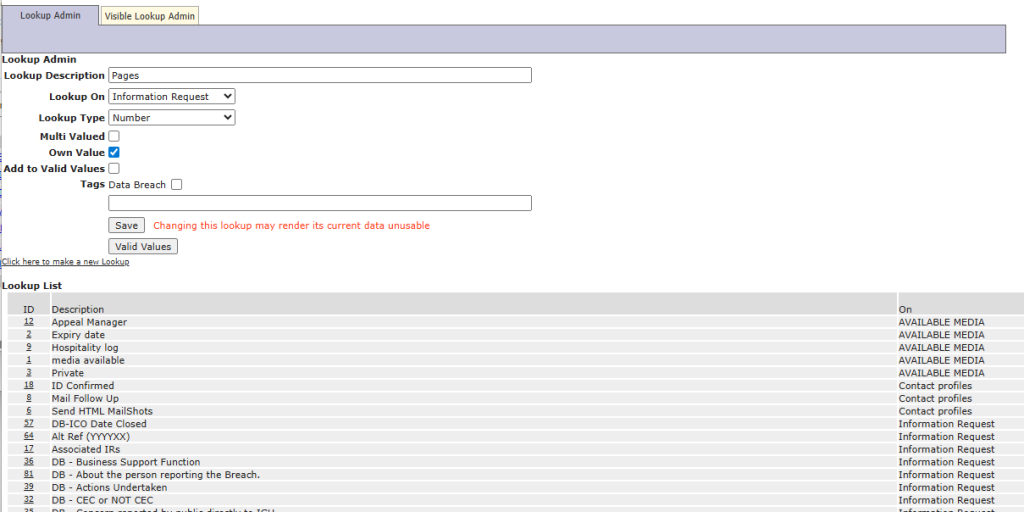
Once you have added your new field, it will be available for use in many places.
- Mailmerged into letters (as seen in the “What fields can I use?” list)
- Reports and filters (in Reports Builder configuration screen in the relevant field lists)
- Grids
- Screens
- etc.
Screen placement
This screen shows how the new field (circled in orange) auto places on the older legacy screens still in use at some clients who wished to retain both interfaces. The number 2 was typed in to show how it can be freely entered and saved.

This screen shows where one client has placed the field (shown in green with the number 123 typed in) on a new screen to record the number of pages in the response that had to be provided, redacted, etc.
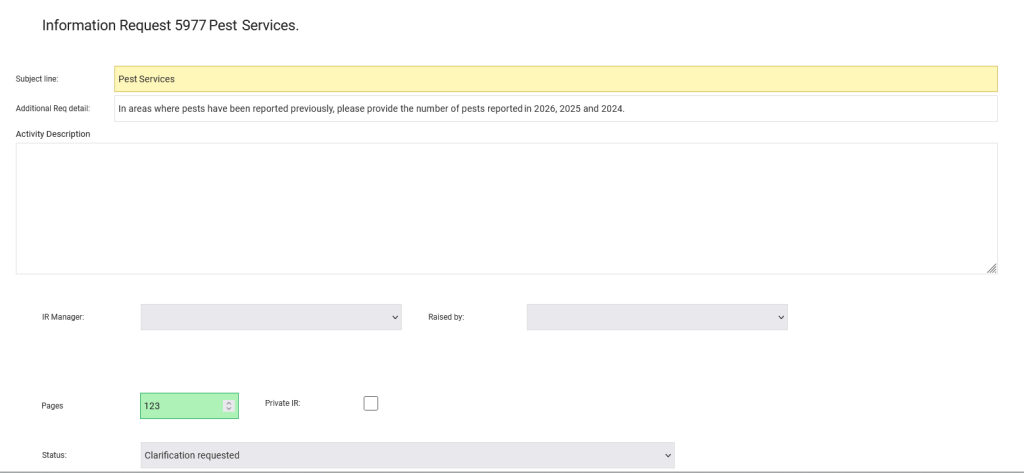
In summary, a systems manager may create a new field in Lookups Admin. They place that data field in any entry screen for users to add data to it. One that data is recorded, it can be presented in screens, mail merge documents, reports, etc.