A request comes in to you in the IG team and you know the departments who hold pieces of the data so you allocate them their specific queries and await their responses. All have the data but some respond to you more quickly than others. Some are late and hold up the response and make your team statistics look poor. Others get their answers to you promptly. That gives you time to:
-
- collate the information
- check any facts
- request further clarification
- redact
- package up a response to send out to the applicant.
Identifying which departments sent in their requested information late has recently been the most common feedback from clients in IG where the business has a wide specialist organisation chart. Examples include health authorities and local councils. These have specialist departments with a huge depth of professional expertise. They are the only practical sources for the information needed.
Reporting on Service Area Response Times
Those with AXLR8 Report Builder skills have always been able to pull out these statistics and link them to Power BI or just an Excel Pivot table. However, we also know busy numerate managers want this infomation in a click. So, in the Management Information section of your system, we have provided a new Service Area Performance League.

It tells you how each respondent and department has been late or early with the tasks they were given.
They do not report to you. However, there is a power in comparison of outliers with best practice of those who are always on time. Often the good performers are also busy and the questions are more complex. So poor performers have less places to hide.
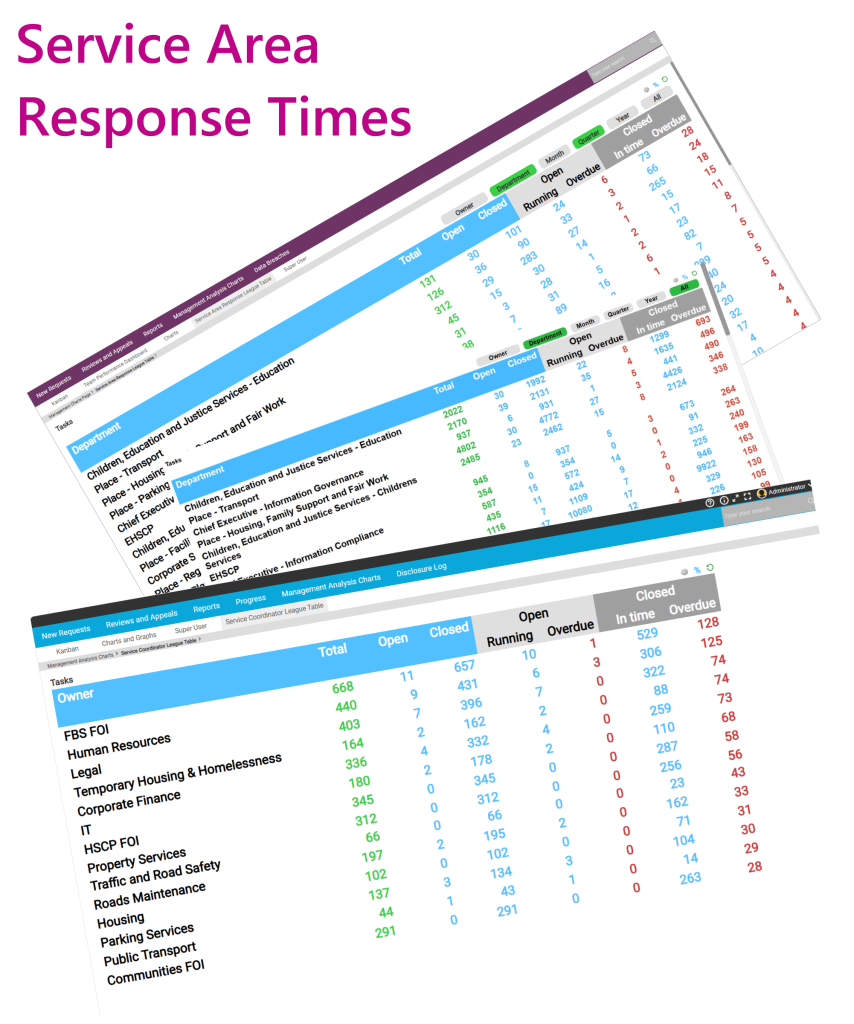
Obviously, in the above real screenshots from local authorities, we have removed actual owners’ names and only displayed generic local authority service areas as examples. We use local authorities because the organisation charts are particularly wide and diverse.
Communication of Deadlines
Let’s assume most people have the information you require at their fingertips because they work in that area. Some others need to process the raw data and extract the figures for your response to the Applicant. This work could include finding and collating from different sources, asking a manager, redacting the information, getting it signed off, etc. Only then can they send it to you.
Some managers may be working in the field or have a zillion appraisals to do that month.
The above means that in any communications, Trigaware email alerts and automated reminders, calls, and the Service Area Portal, they need to see the deadline.
Task Due Date
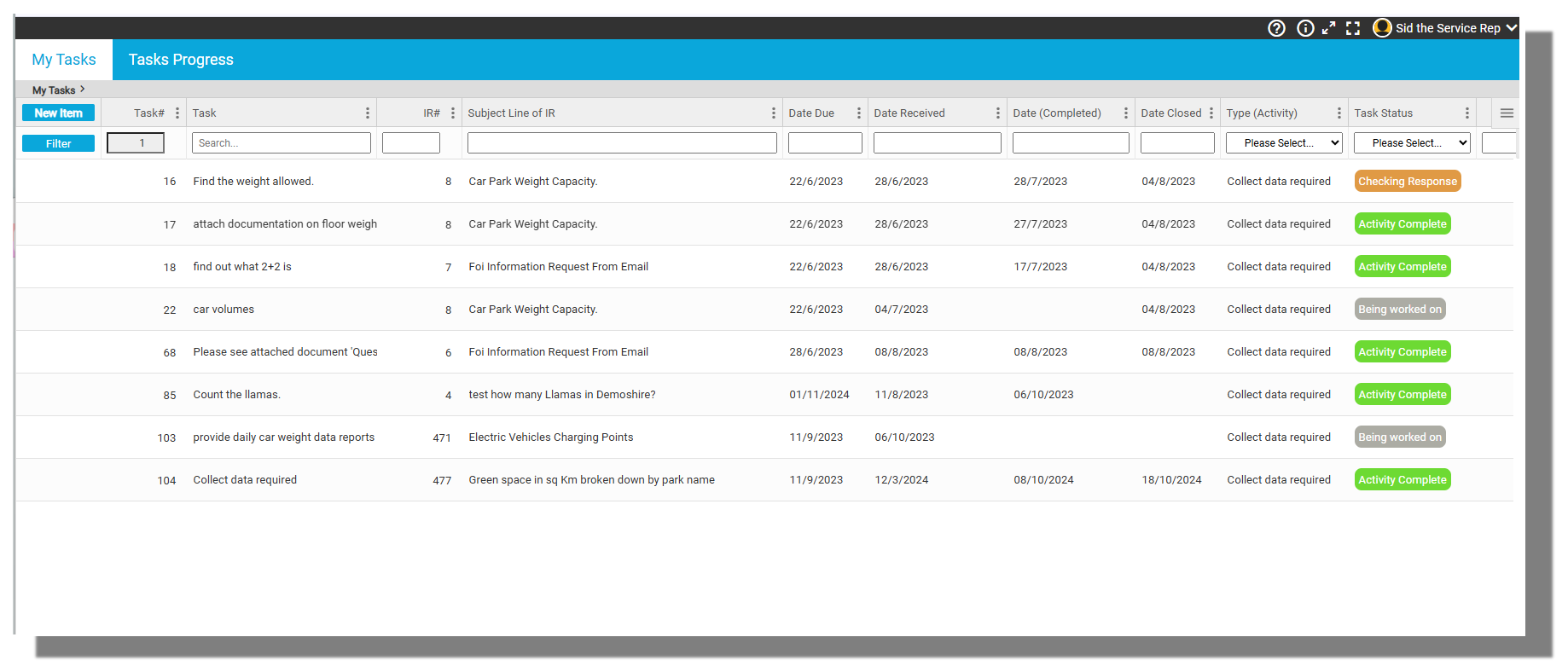
The Service Reps (AKA Dept Reps, Service Agents, etc.) need to know when you need the information. To accomplish this, you can enter an Activity Due Date (AKA Task Due Date). This is then visible in their portal as shown in the example screenshot below.
Setting the system up and changing these parameters so that your organisation gets the best out of the service is important. You are aiming to use the table to change and improve behaviour. This FAQ explains how you can set up the parameters and categories for dashboard KPIs including this table and dashboards in general.